Some links below are affiliate links — if you subscribe through them, I may earn a commission at no extra cost to you. It never changes my verdict: I only recommend tools I’ve actually used. Full disclosure here.
Sudowrite gets thrown around as the AI tool built for novelists — but “built for fiction” is easy to slap on a landing page. I wanted to know whether it holds up when you actually sit down and use it. So I did: I signed up, ran real scenes through it, poked at its signature features, and watched where my credits went. Here’s the honest verdict, from one fiction writer to another.
My stance up front, because this niche deserves it: I treat AI as a collaborator, not a ghostwriter. Sudowrite won’t write your novel for you, and if that’s what you’re hoping for, no tool will. What a good tool does is take the friction out of the parts you dread. So the real question isn’t “can Sudowrite write” — it’s “does it help you write, and is it worth the money?”
The 30-second verdict: Sudowrite is the most beginner-friendly, frictionless AI writing tool I’ve used — you’re writing within seconds, no setup, no API keys. Its Describe and Story Bible features are genuinely useful. The catch: it’s pricier than bring-your-own-key rivals, the free-trial credits run out fast, and its in-house Muse model — while solid — didn’t blow me away versus a general model in my testing. Worth it if you value simplicity and an all-in-one experience; skip it if you’re budget-first or want to choose your own AI model.
What Sudowrite actually is
Sudowrite is an all-in-one writing app built specifically for fiction. Unlike tools that make you connect your own AI, Sudowrite includes its own in-house model — Muse, trained on fiction rather than general text — and everything runs on a monthly pool of credits. You get a clean editor plus a suite of fiction-focused tools: Story Bible (idea → outline → chapter beats → prose), Write (continues your scene in your voice), Describe, Brainstorm, Rewrite, and Expand.
In plain terms: it’s the tool for writers who want to open a page and go, without wiring anything up.
Pricing
| Plan | Annual (billed yearly) | Monthly | Credits / month |
|---|---|---|---|
| Hobby & Student | $10/mo | $19/mo | 225,000 |
| Professional (most popular) | $22/mo | $29/mo | 1,000,000 |
| Max | $44/mo | $59/mo | 2,000,000 (roll over up to 12 months) |
Prices are in USD and were verified against Sudowrite’s own pricing page on 1 July 2026. They change over time — check the current numbers before you subscribe.
There’s a free trial with no credit card required (a limited pool of credits), so you can try before you pay.
What it’s actually like to use
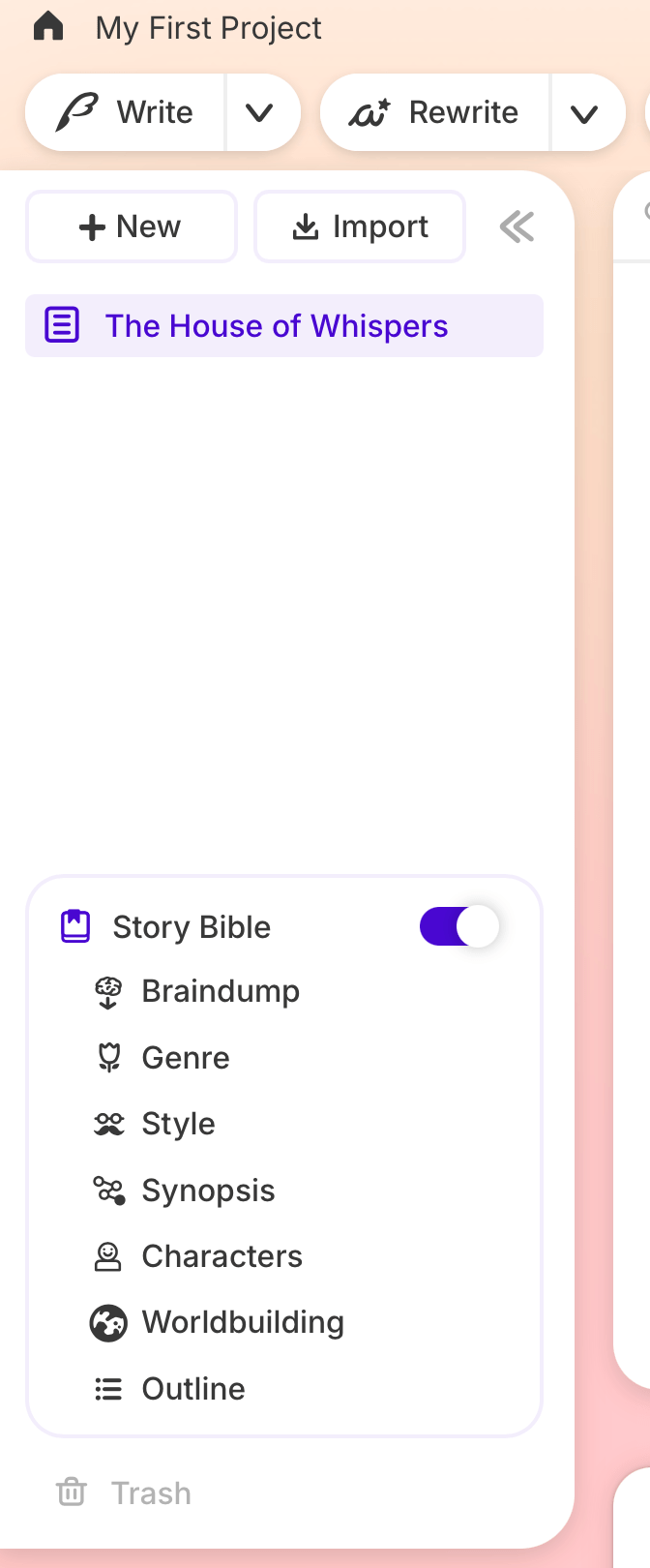
The first thing that hit me was how simple it is. Sign in and you’re in a clean editor — no credit card, no configuration, no “connect your API key.” I had words on the page within seconds. Honestly, it’s almost addictive; the whole interface is designed so anybody can understand it at a glance. If AI writing tools have intimidated you before, this is the one that won’t scare you off.
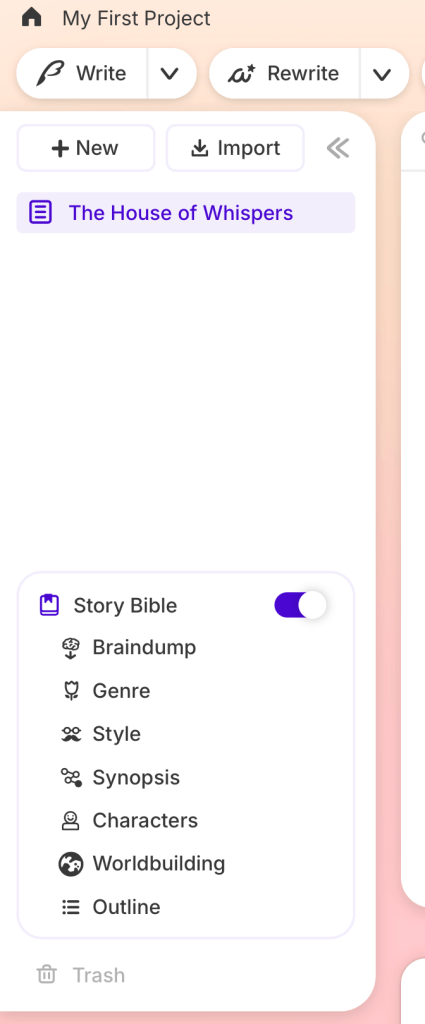
That beginner-friendliness is Sudowrite’s single biggest strength, and it’s easy to undervalue until you’ve fought with a fiddlier tool.
The features that earned their keep
Story Bible is the backbone. It walks you from Braindump → Genre → Style → Synopsis → Characters → Worldbuilding → Outline, so the scaffolding of your story exists before you write a word. If you’re a plotter, this structure is a genuine head start.
Describe was the quiet standout for me. Highlight a phrase — a place, an object, a moment — and it hands back sensory options across sight, sound, smell, and texture that I’d actually use, not filler. It’s the feature I didn’t expect to love, and the one I’d miss most. When your prose has gone flat, it’s a fast way to put the blood back in.
Write continues your scene in your voice using Muse. In my testing it produced readable, competent fiction that kept the thread of what I’d started.
Brainstorm, Rewrite, and Expand round out the toolkit for idea generation and revision. They do what they say, and they live right in the flow of writing rather than in a separate chat window — which is the point of Sudowrite.
The honest catch
Here’s where I’ll be straight with you, because a review that only gushes isn’t worth reading.
Sudowrite markets Muse as its fiction-trained secret weapon. In my testing it wrote perfectly decent prose — but in a quick, same-scene comparison, its output actually read a touch more generic to me than a general model (GPT-4o) I ran the identical scene through in another tool. One informal test isn’t a takedown, and Muse may well shine more with a fully built Story Bible feeding it context. But don’t buy Sudowrite on the promise that its AI is dramatically better than everything else — buy it for the experience, not a magic model.
Then there are credits. The free trial is generous enough to get a real feel, but it’s limited and can run dry mid-project — mine did, right in the middle of testing. On paid plans this is a non-issue for most writers (Professional’s 1,000,000 monthly credits go a long way, since a typical generation costs a few hundred), but the “meter running” feeling is real while you’re on the trial.
Pros and cons
Pros
- Zero setup. The AI is included — sign in and write in seconds. No card, no API key.
- The most beginner-friendly UI I’ve used — clean, intuitive, almost addictive.
- Describe is excellent — genuinely useful sensory suggestions, not filler.
- Story Bible gives plotters real structure before drafting.
- Predictable single bill — the AI is bundled, so no surprise usage charges.
- Purpose-built for fiction, by people who clearly understand novelists.
Cons
- Pricier at entry than bring-your-own-key rivals like Novelcrafter.
- Free-trial credits are limited and can run out mid-project.
- You’re locked to Muse — you can’t swap in a different or newer model.
- In my quick test, Muse didn’t clearly out-write a general model, despite the fiction-specialist billing.
Who Sudowrite is wrong for
I always tell you who a tool is wrong for, because that’s what makes a recommendation trustworthy.
Sudowrite is the wrong tool for budget-first writers who only dabble with AI — you’ll be paying for polish you won’t use enough to justify. And it’s wrong for control-minded or technical writers who want to choose their own model — if “I want to run the newest model myself” is your instinct, a bring-your-own-key tool will suit you better. (I compared the two in detail in my Sudowrite vs Novelcrafter breakdown.)
So — is Sudowrite worth it?
It depends entirely on how you write:
- Beginners, non-technical writers, and drafters who want it to just work: yes. Nothing else gets you writing this fast.
- Writers who value a simple, all-in-one experience with predictable billing: yes.
- Budget-first, light AI users: probably not — you’ll overpay for what you use.
- Writers who want to pick and switch AI models: no — look at a BYOK tool instead.
My honest bottom line: Sudowrite’s magic isn’t a superior AI — it’s the experience. It removes every barrier between you and the page, and its Describe and Story Bible tools are legitimately good. If that frictionless, all-in-one feel is worth the premium to you, it’s an easy recommendation. If you’re counting every dollar or you want model control, look elsewhere.
Want to judge it for yourself? Sudowrite’s free trial needs no credit card, so you can feel the difference in an afternoon. Start your free Sudowrite trial here.
FAQ
Is Sudowrite worth the money?
If you value simplicity and want the AI included with zero setup, yes — especially on the Professional plan, where credits stop being something you think about. If you’re budget-first or want to choose your own model, a cheaper bring-your-own-key tool is better value.
Does Sudowrite have a free trial?
Yes — no credit card required, with a limited pool of credits. It’s enough to get a real feel, but it can run out mid-project.
What is Muse?
Muse is Sudowrite’s in-house AI model, trained specifically on fiction rather than general text. It powers the Write feature. It’s solid, though in my testing it didn’t dramatically outperform a general model.
Is Sudowrite better than ChatGPT for fiction?
For fiction workflow, yes — Sudowrite’s Story Bible, Describe, and in-editor tools are purpose-built for novelists in a way a general chatbot isn’t. On raw prose quality, the gap is smaller than the marketing suggests.
About the author. Jerrod Montemayor is an indie author who writes and self-publishes his own fiction. He tests AI writing tools on real manuscripts before recommending them, and writes about them like a fellow writer — including the parts that don’t work and who each tool is wrong for. More about Jerrod →
Free: 10 prompts that fix your second draft
Ten field-tested AI prompts that turn ChatGPT or Claude into a ruthless revision partner — triage reads, echo hunts, stakes audits. Instant download, straight to your inbox.
 The Novelist's Stack
Leave a comment